In this guide check out how you can install country restricted apps on your Android Phone & tablets.
Many Apps through the Google Play Store are restricted to specific countries only. Usually it is the US only Android apps that are highly demanded but can’t be downloaded from Android users of other countries. Rooting has become a common way to access these apps however certain people would like another way if possible.
There are two ways one can get these great apps without hacking or rooting and install apps bypass the country restrictions, they are explained below -
Using Proxy to Open Android Play Store
Opening Google Play directly will filter all apps which are available in your country only.
The trick here is to first open the website through a proxy of the country in which the app is available. For example, if you want an app that is only available to US residents then first find a proxy site that can provide you a US based IP. Once you have located this proxy site open Google Play Store through it. This will show you all apps that are available in the US. Next step is to simply install the app on your device.
Using AppBrain App Market
Download and install AppBrain App Market from Google Play Store where it is available for free.
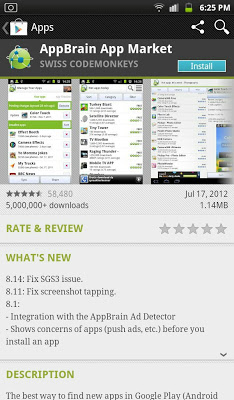
- Launch the application. There will be a start-up process and option of signing up will be asked. The sign up is not required.
- On AppBrain search for the country restricted app you require
- Select the app once it is displayed in AppBrain
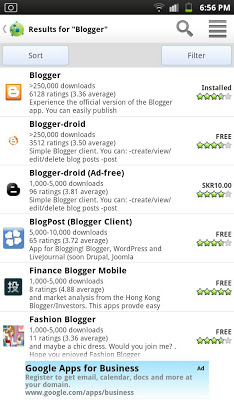
- Select install. Now you will notice that AppBrain will direct you to Google Play but this time the app is accessible
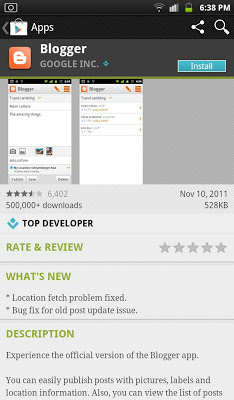
Install or Pay for the app that you require.
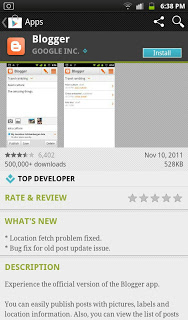
In AppBrain App Market, when searching the app you will notice that the country restriction will be bypassed. This is not an illegal way as you still have to pay for the apps that are not free.
Using DroidVPN
If the above two methods doesn’t work, using DroidVPN will out for you. DroidVPN has solution for every country VPN. Follow the guide -
- Connect DroidVPN to the country you want the app to be in on your device.
- Go to Settings on your Android phone.
- Tap on Apps.
- Tap on Google Play Store.
- Tap Force Stop, Clear data, and Clear cache one by one.
- Open Google Play Store again.
- Select the US or UK account that you have created and added to your Android Device. (Add an account to use Google Play on your device).
This will do it for you. Do let us know if you face any issues and if it has worked for you, please consider sharing this article.
mujeerisme says
Hey guys, I must recommend you one of the best APK Downloader try it because it doesn’t give you no popups or crappy ads. 😉
M Tanveer Aslam says
here you can use one of this site to download app country restricted, premium apps free, all type as i used this site to download mostly http://www.itexprt.com
Tien Jack says
Easy way is going to http://apkplz.com, enter your apps name or package name, then download your APK + OBB data file. Just few click, few second 🙂